Why forward-thinking practices choose FairFetch
Reach new pet owners
Thousands of UK pet owners will use FairFetch to find their next vet. Get in front of them before your competitors do.
Stay CMA-compliant
Publishing your prices on FairFetch helps you meet the CMA's transparency requirements effortlessly.
Build your reputation
Practices with clear, competitive pricing earn more trust — and more clients. Transparency is a competitive advantage.
Track your performance
See how many pet owners viewed your listing, what treatments they searched for, and how you compare to local practices.
A powerful dashboard designed for your practice
Manage your listing, update prices, track analytics and handle enquiries — all from one place.
Profile views
1,248
+12%
Enquiries this month
34
+8%
Avg. price ranking
#3
of 12
Review score
4.7★
312 reviews
Analytics
See views, clicks and enquiries at a glance
Price management
Update your published prices in seconds
Enquiry alerts
Get notified instantly when pet owners contact you
Review management
Respond to and showcase your best reviews
SEO listing
Your practice appears in Google as a FairFetch partner
Instant updates
Changes to prices go live within minutes
Straightforward plans for every practice
Start free. Upgrade when you need more.
How to claim your listing
Claiming your listing is completely free and takes under 5 minutes. Treatment prices can be added from just £5/month to appear in live comparisons and stay CMA compliant.
Create an account
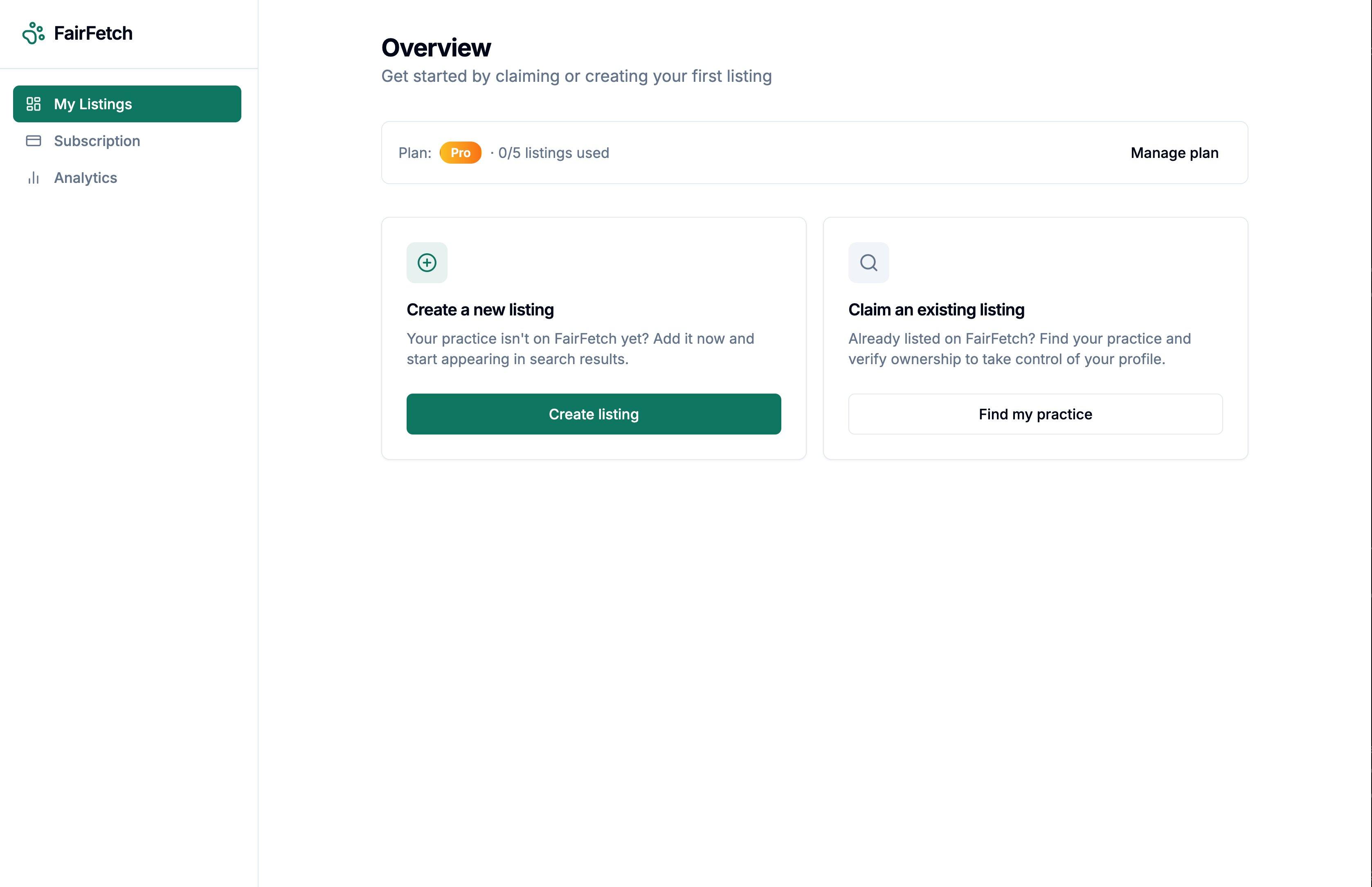
Head to dashboard.fairfetch.co.uk and create your free account. Once logged in you'll land on the My Listings page ready to find or add your practice.
Find your practice
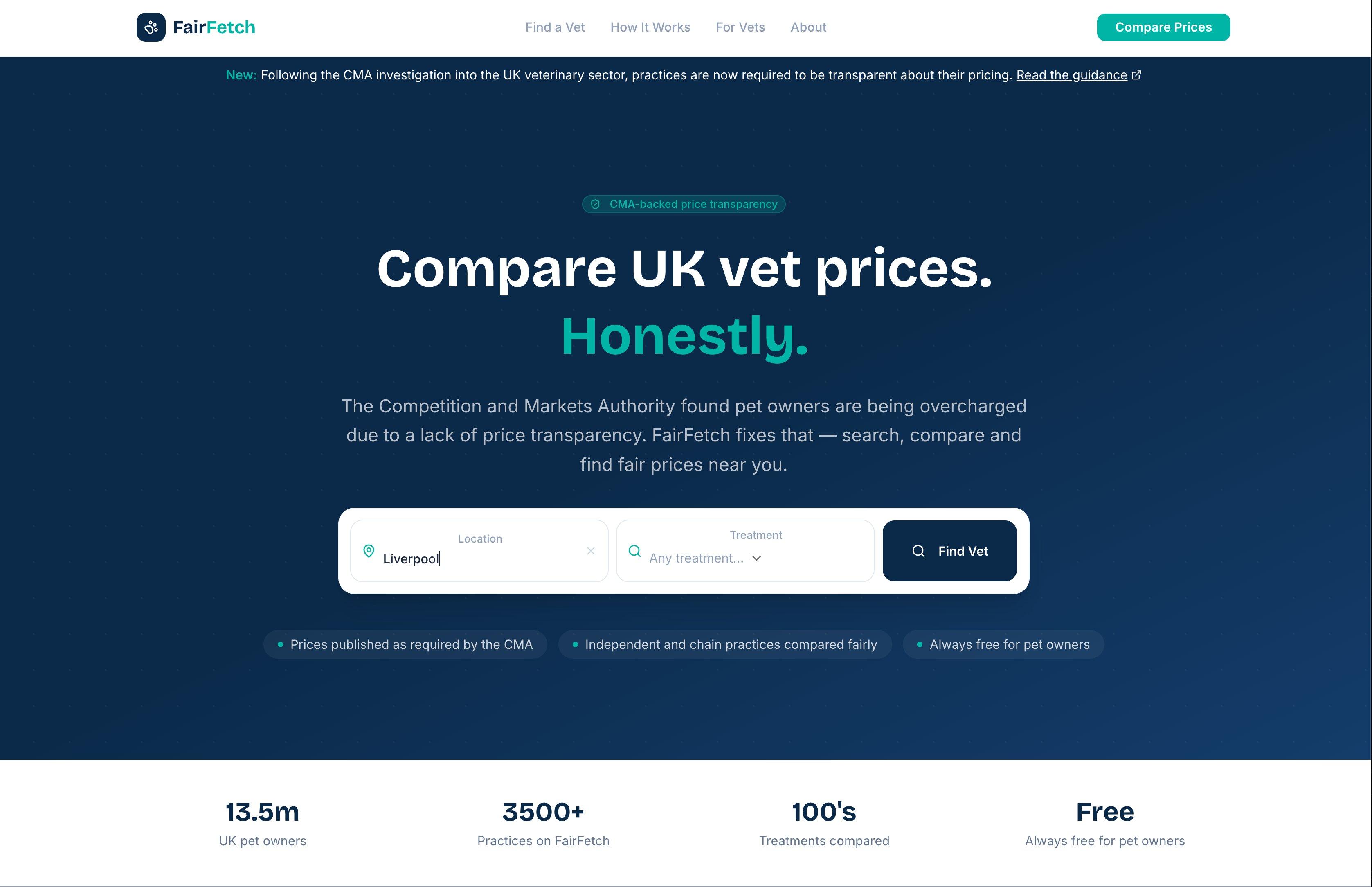
On the My Listings page click Find My Practice. This opens the main FairFetch search — enter your town or postcode to locate your practice. If it's not yet listed, click Create New Listing instead.
Open your practice profile
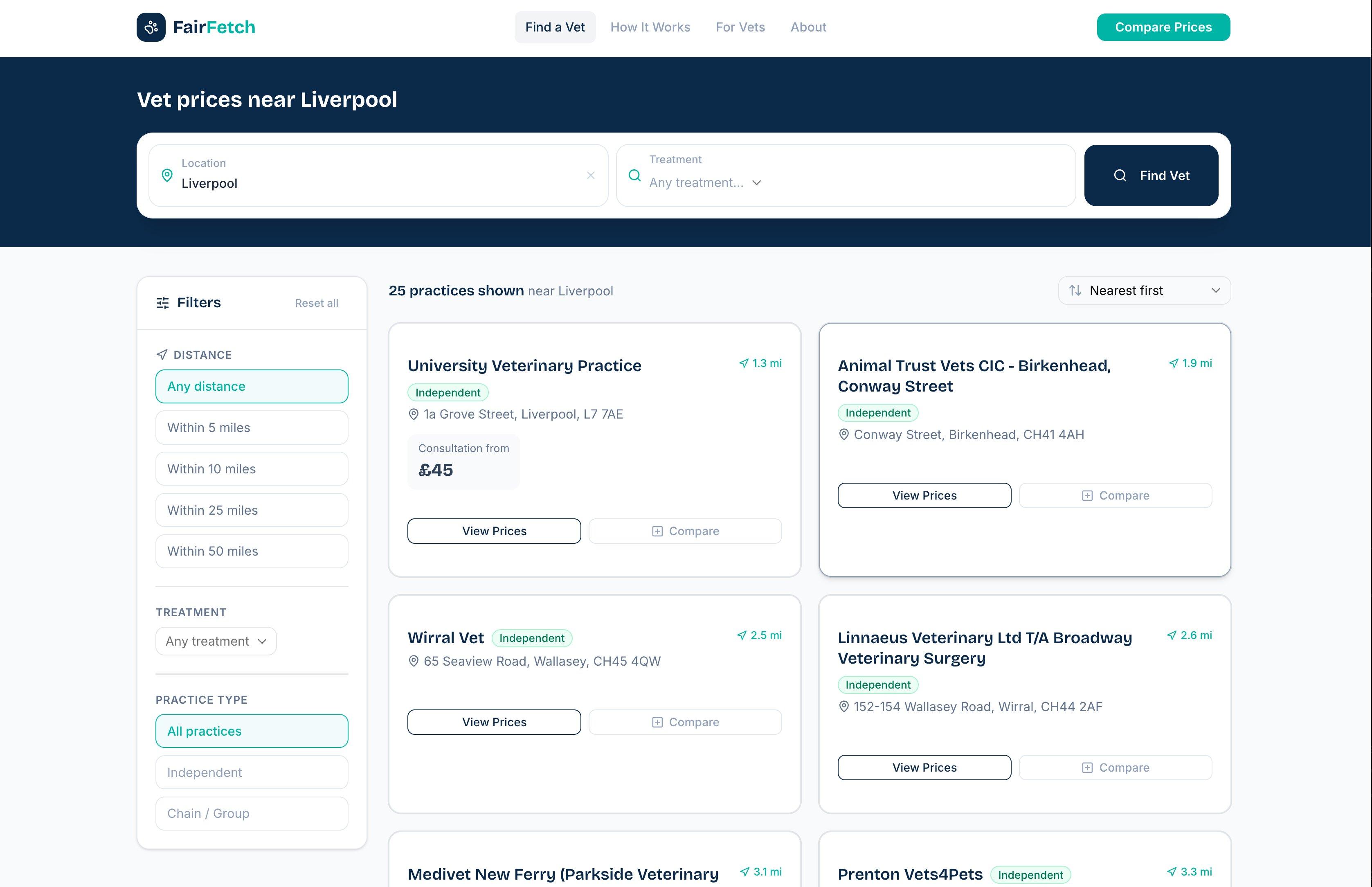
Find your practice in the search results and click View Prices to open the full practice details page.
Claim your listing
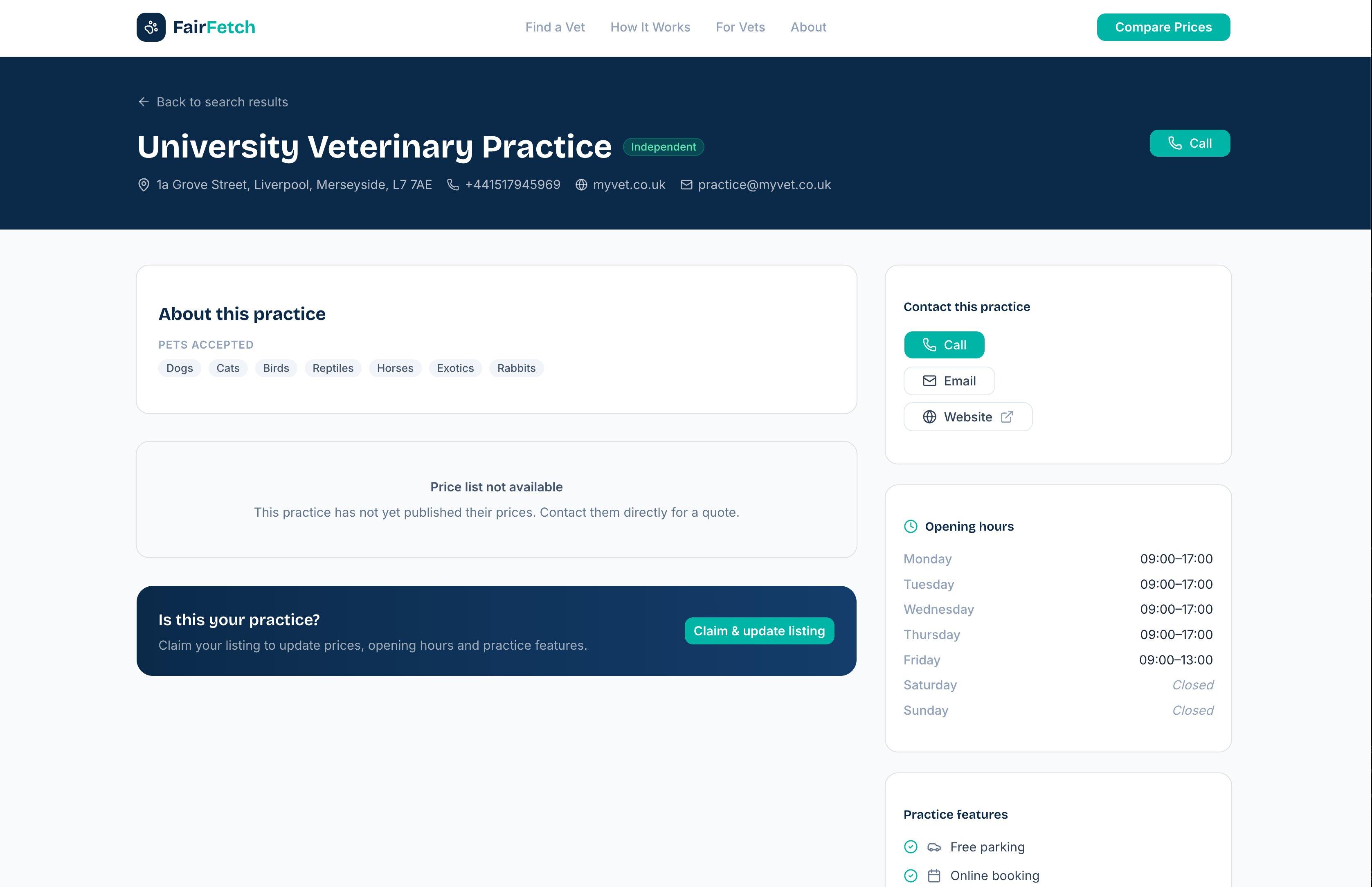
Scroll down on the practice page and click the Claim & update listing button to begin the ownership verification process.
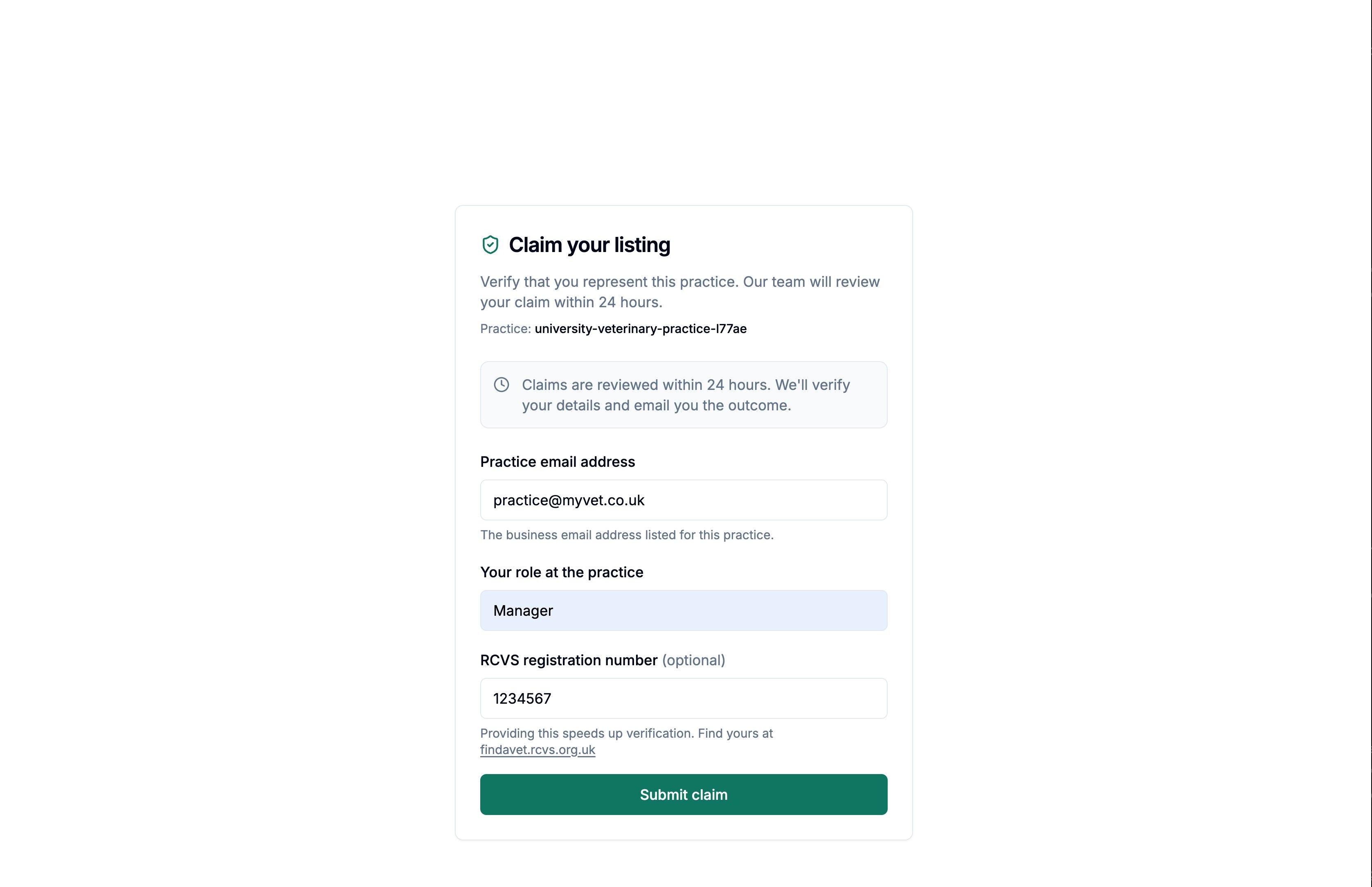
Complete the claim form
Fill in the short 3-question form — your practice email address, your role, and optionally your RCVS registration number. This helps us verify you represent the practice. Submit when ready.
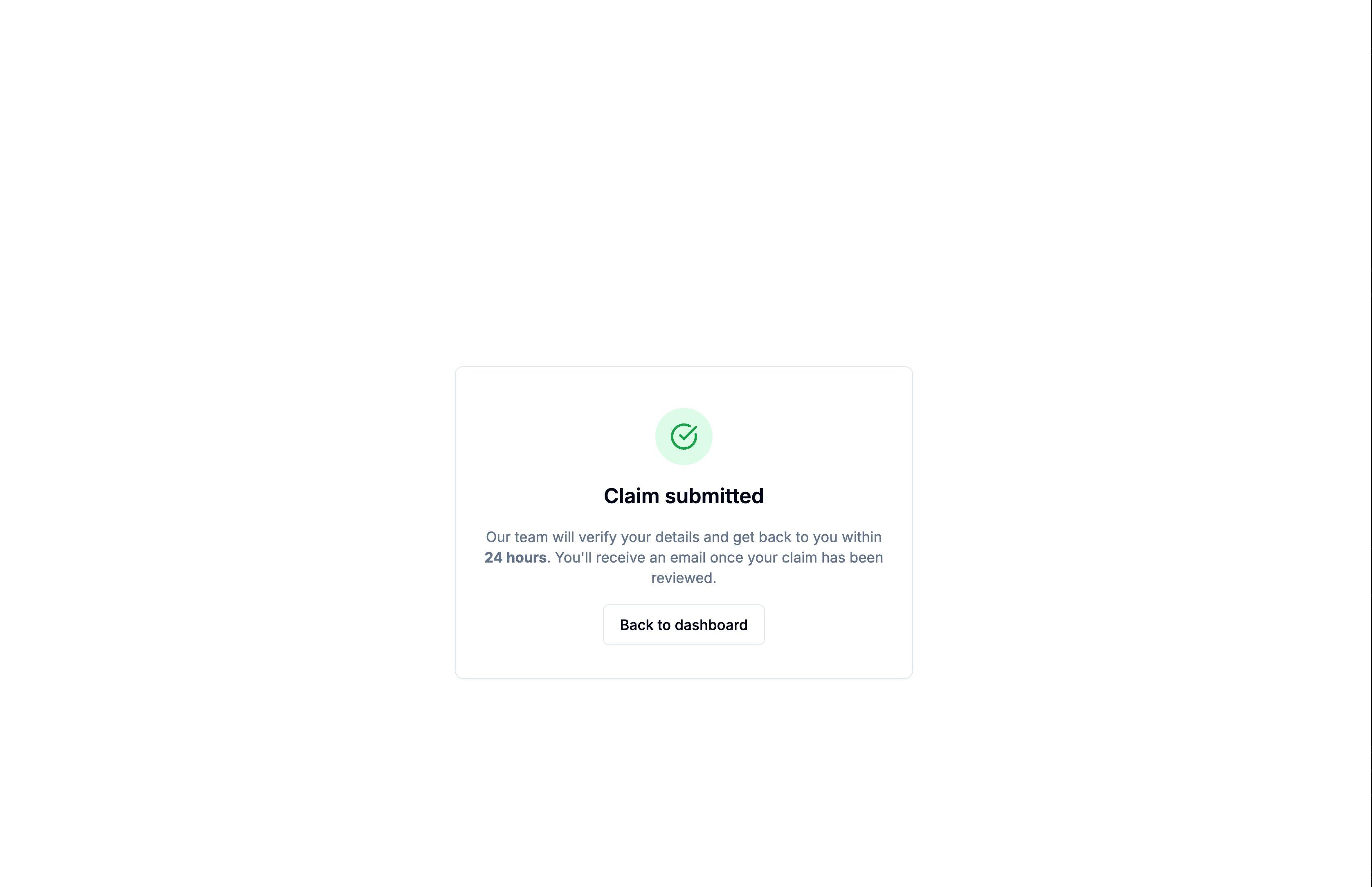
Claim submitted
You'll see a confirmation screen. Our team reviews claims and approves them within a few hours.
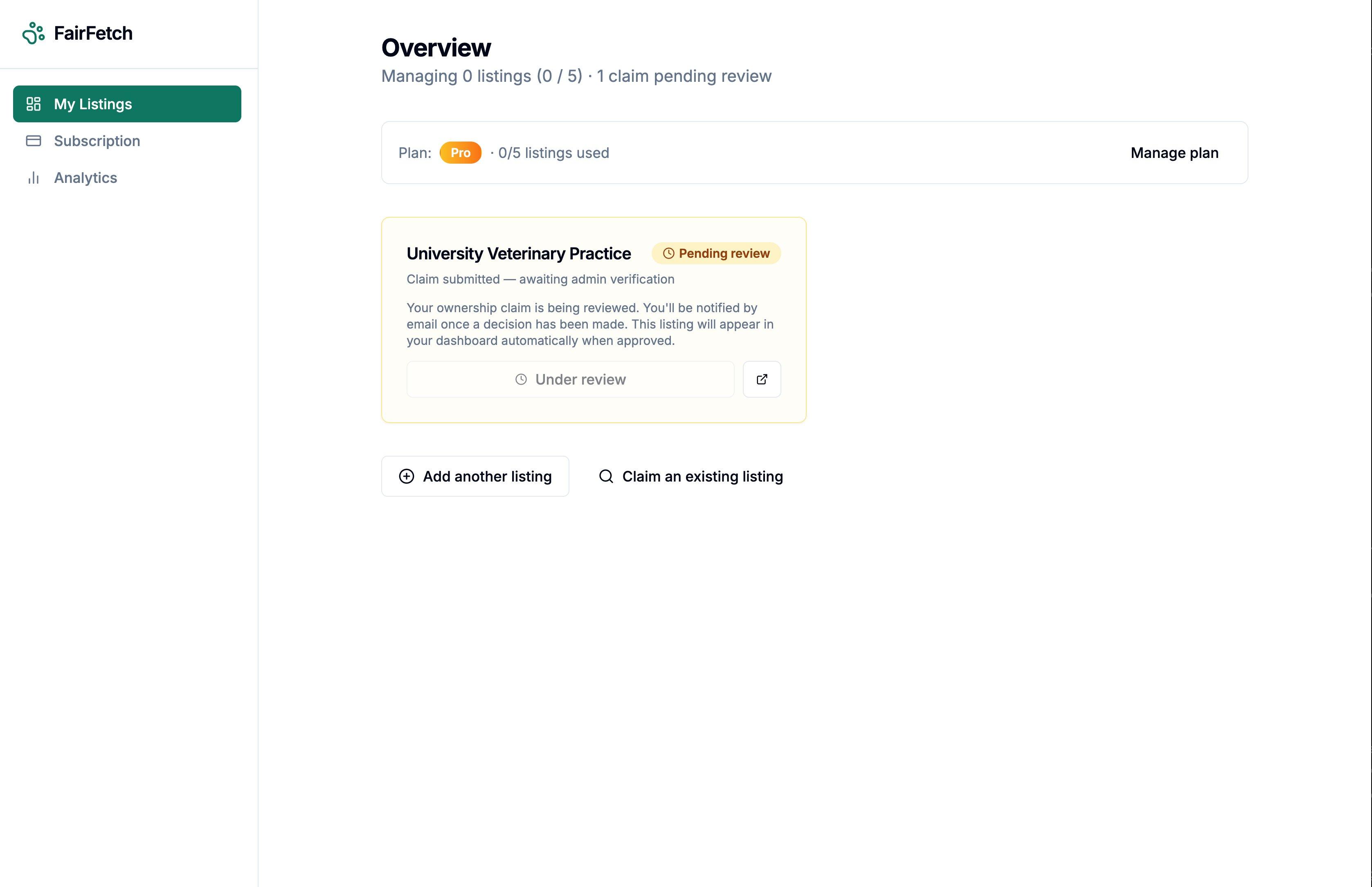
Pending review
Your dashboard shows the listing as pending. Once approved you'll receive a confirmation email and the listing becomes fully editable.
Update your practice information
Use the tabs along the top of your listing to keep everything up to date — Profile, Services & Prices, Opening Hours, and Features. Changes go live on the website for pet owners to see within a few minutes.
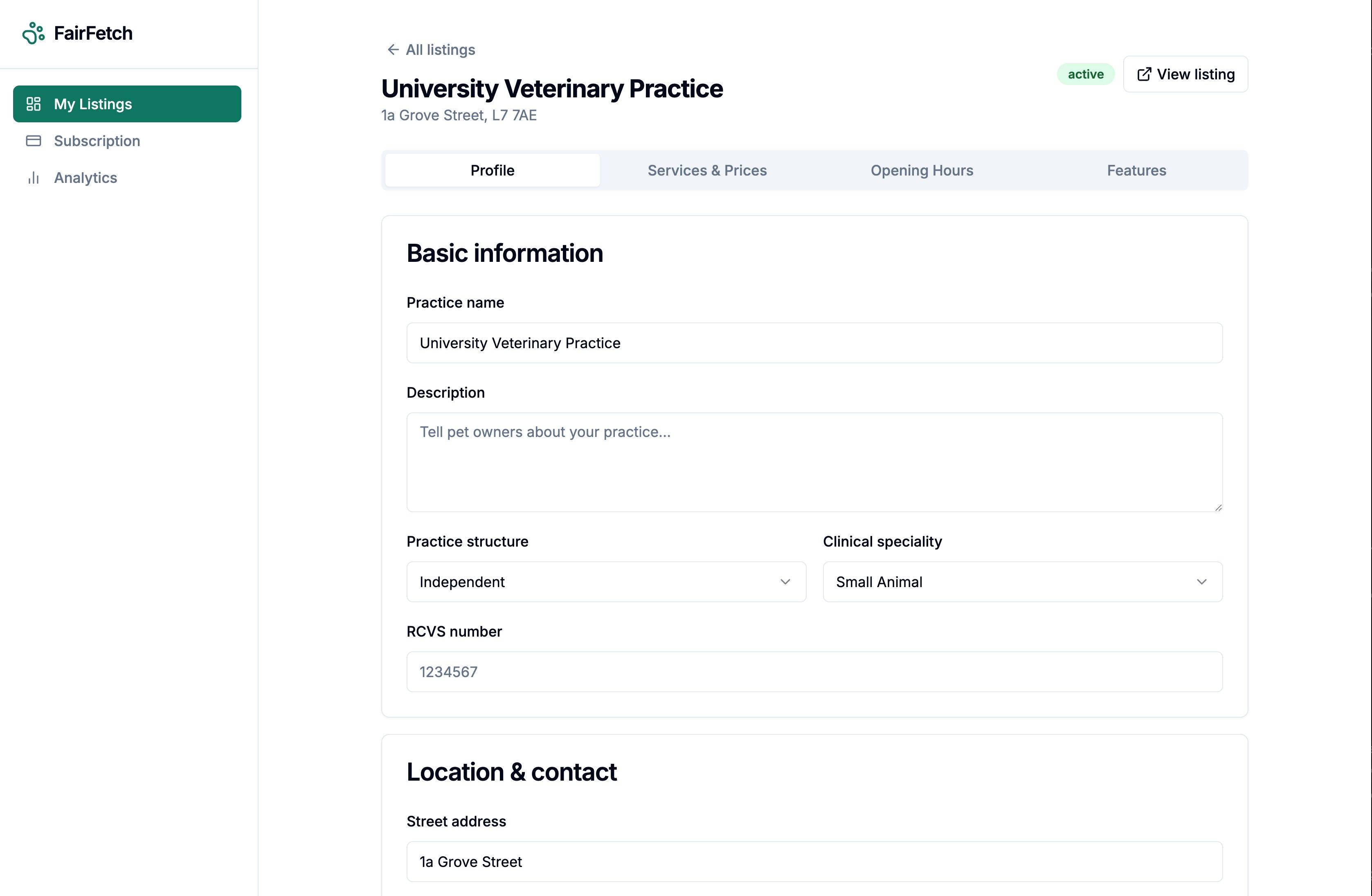
Profile
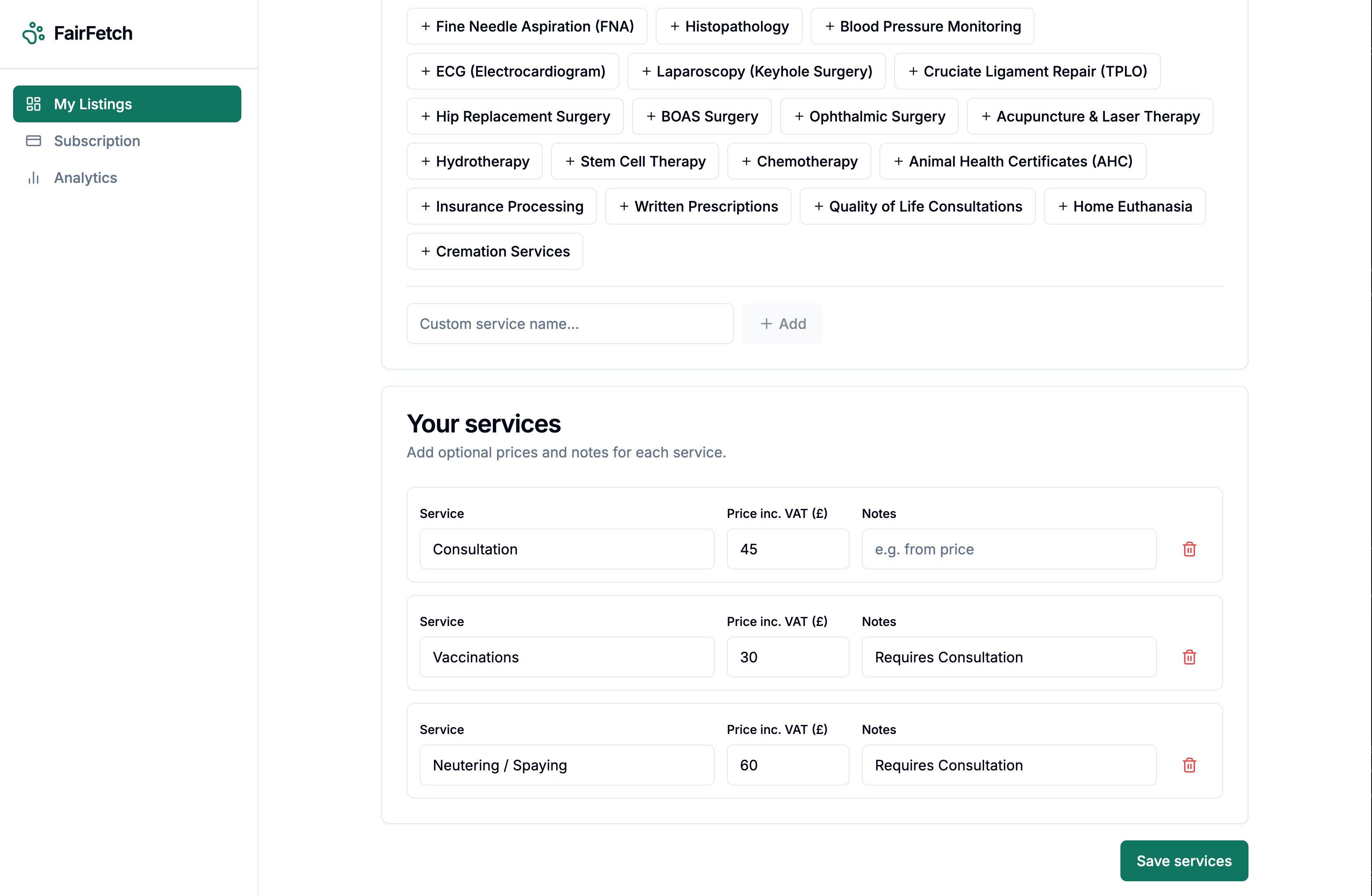
Services & Prices
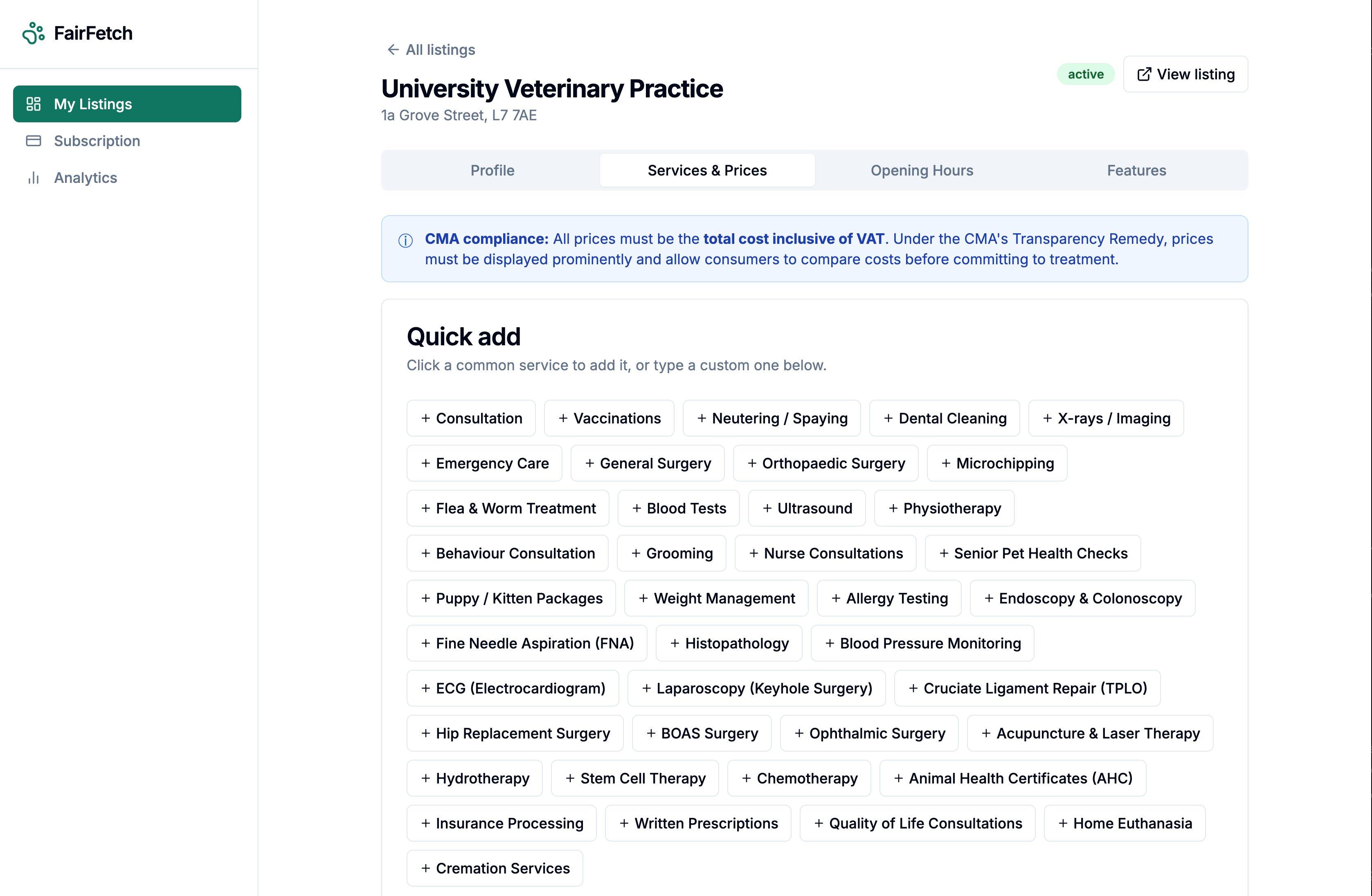
Price list
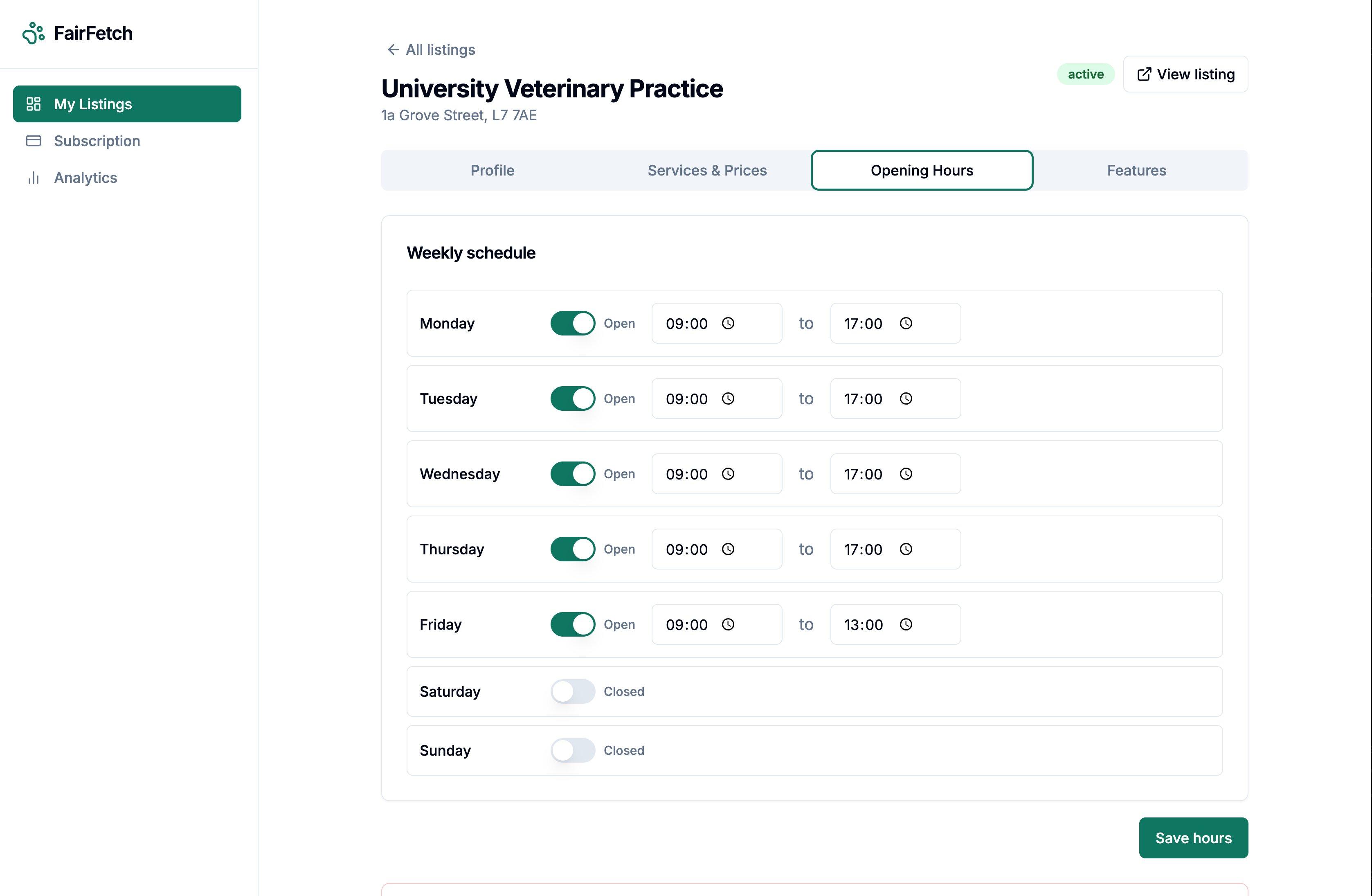
Opening Hours
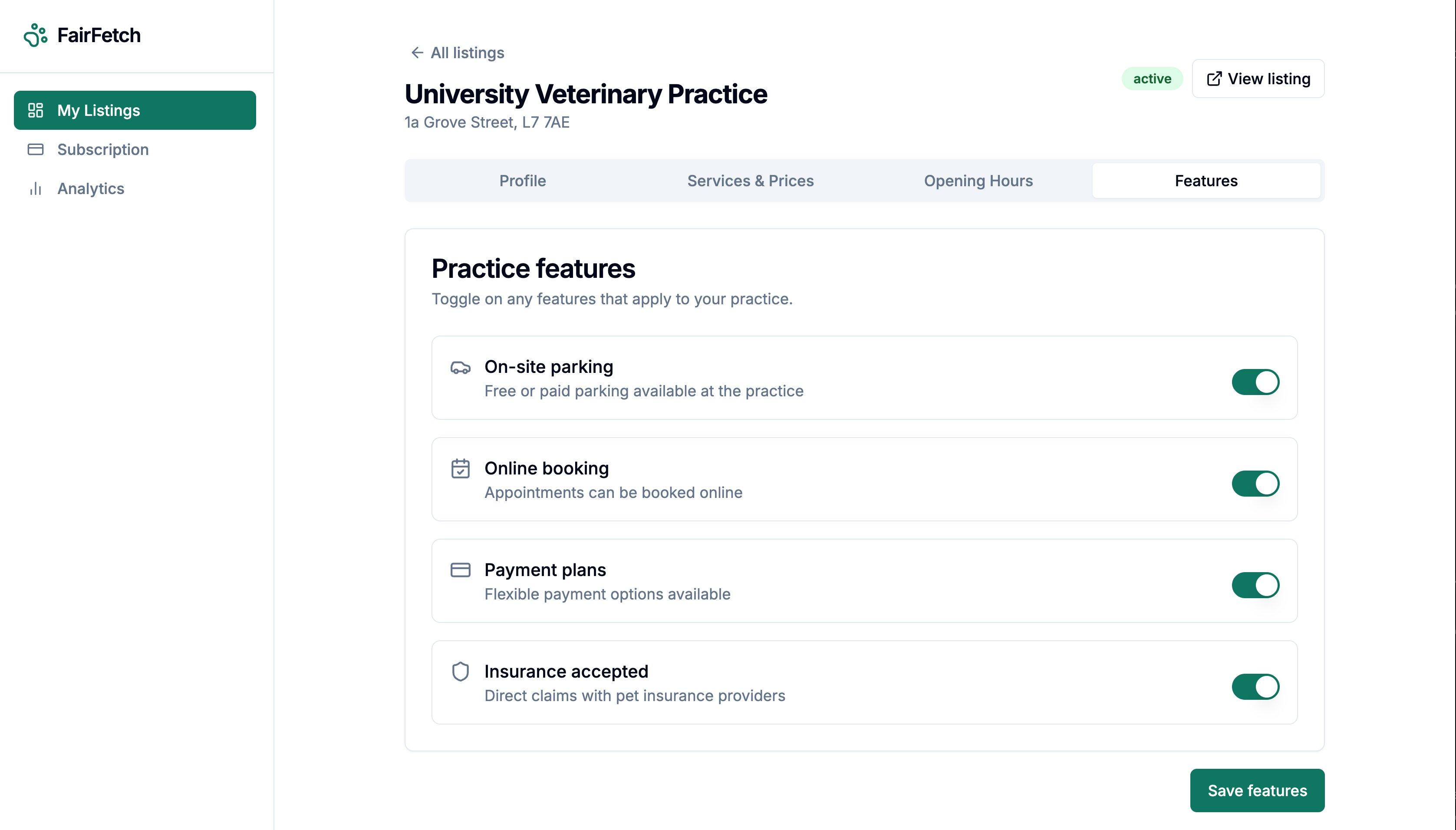
Features
Watch the full walkthrough
See the full listing creation and claim process in under 2 minutes.